Start with the request
Review symptoms, inspection checks, status and the next step.
Browse sample repairs ↗02 / Repair ERP · In development
A repair isn't just a ticket. It's a request, a device, an inspection, a part and a conversation. We're building a workspace that keeps them together.
No login needed. Fictional data only. Separate from internal operations, with no operational API or database connection.
A workspace, not another loose spreadsheet
The project covers more than intake. The public preview presents eleven safe workflow sections without exposing internal policies, costs or administration.
Review symptoms, inspection checks, status and the next step.
Browse sample repairs ↗Follow a device back to its repair and forward to its next chapter.
View device records ↗Explore sample parts and incoming device purchases, without private cost rules.
Explore sample parts ↗See how a product, its device record and a sample sale are related.
Follow a sample sale ↗Review fictional inbound and outbound shipments in context.
See shipping examples ↗Customer records, enquiries and reviews sit alongside the work they concern.
Read a sample enquiry ↗A fictional case / iPhone 13
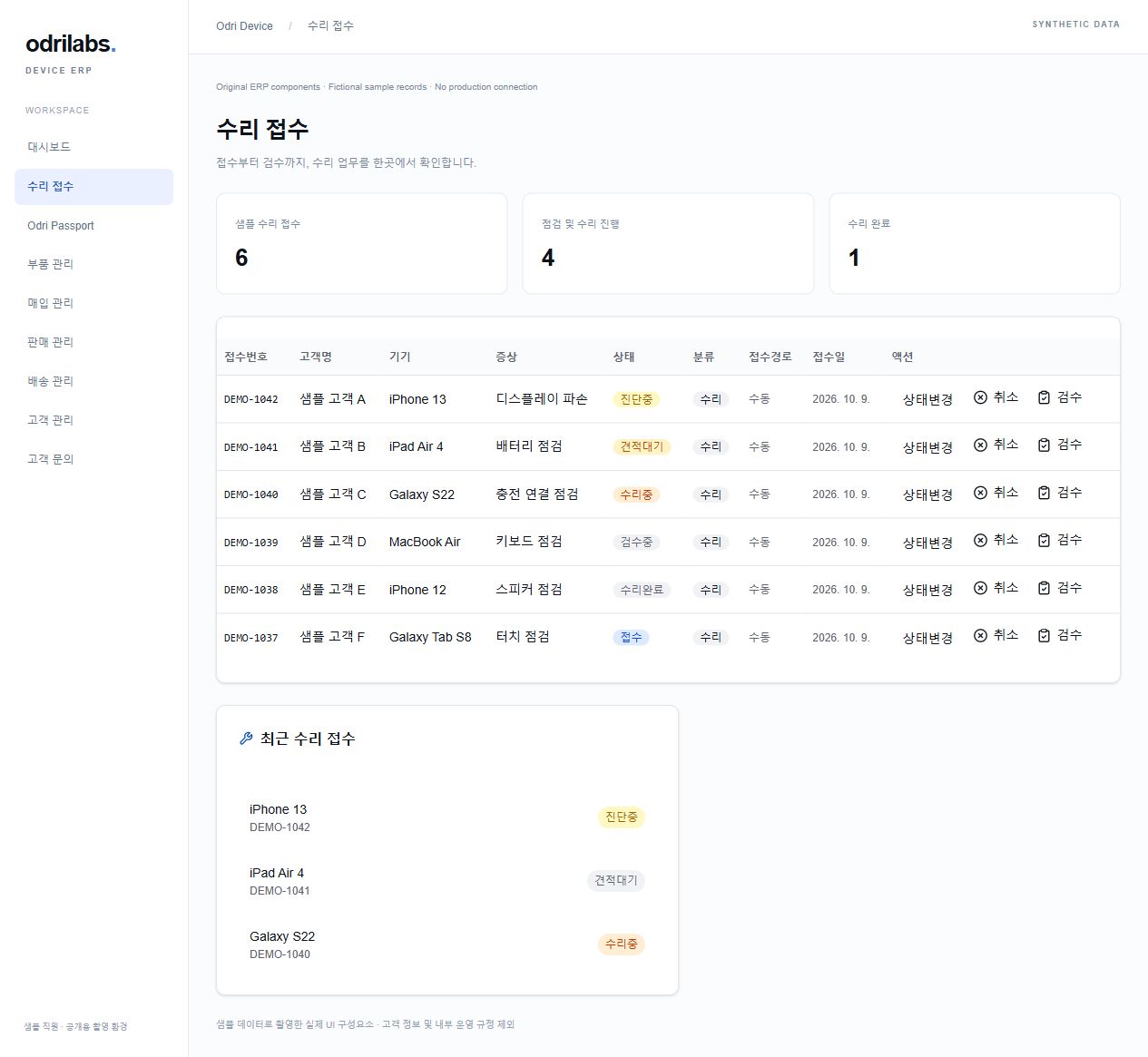
Sample customer A asks about an iPhone 13 with a cracked display. Open DEMO-1042 in the repair list, then follow its related records. They all refer to the same fictional job.
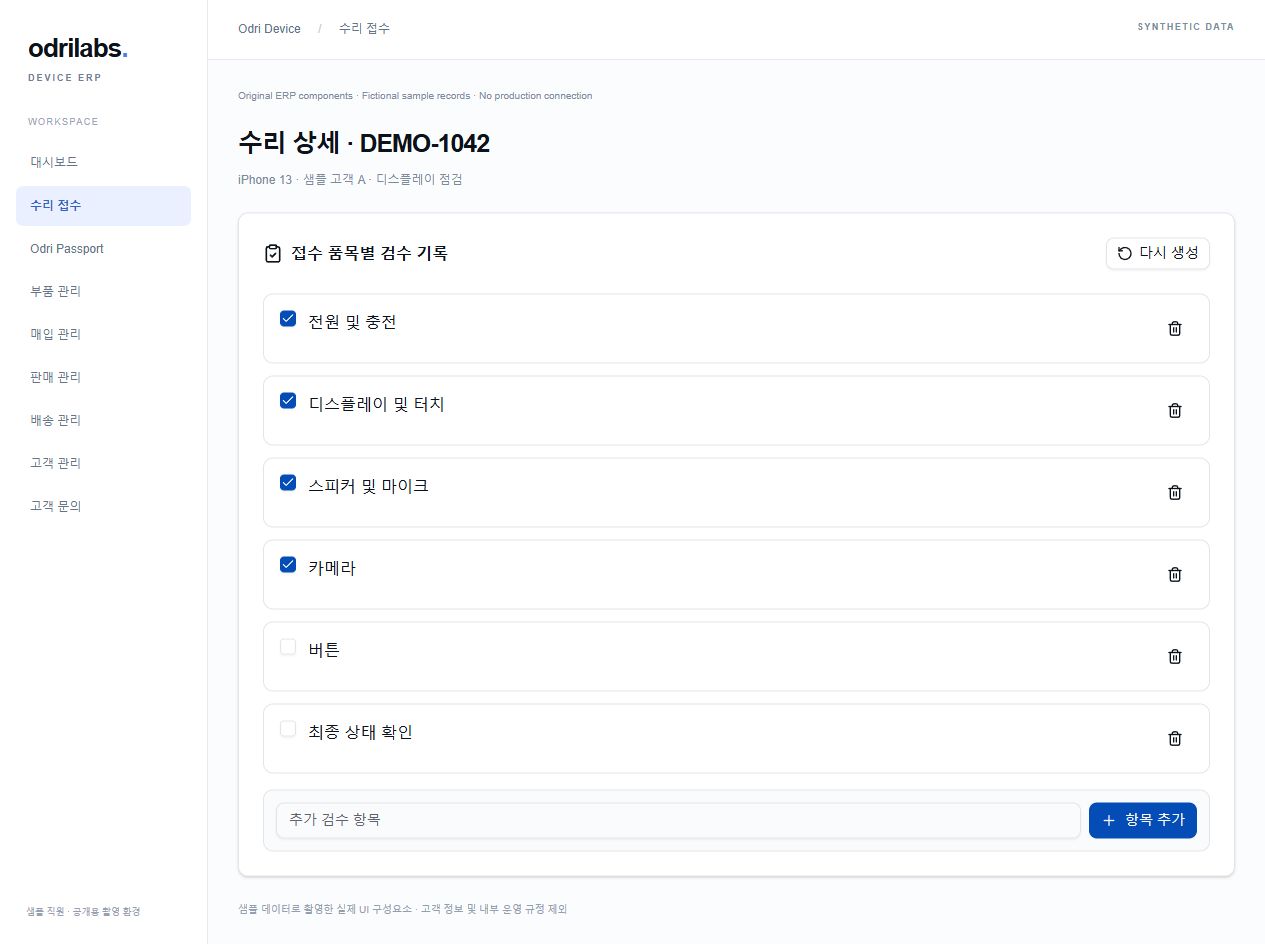
Open the sample repair listSample stage: Diagnosing. Read the inspection checks and activity history before following the links below.
The device passport links back to this repair, so the history stays with the device.
An iPhone 13 display assembly. Read the fictional stock and reservation figures.
The inbound repair parcel is marked delivered. This is arrival tracking, not a completed repair.
The customer asks what happens next. The sample conversation links back to DEMO-1042.
A read-only example, not a real customer case or repair outcome. No carrier, operational database or AI service is connected.
Inside the interface
These captures use the original repair-table and inspection components, rendered locally with fictional data. No live customer records are shown.
About the preview
Browse eleven sections, search sample records, open details and follow related records. You cannot save, delete, approve, send a message or trigger an operational action.
No. The public demo is a separate environment with fictional people, devices and quantities. Private customer information, financial data, internal rules and account administration are excluded.
The Claude enquiry integrations are planned, not live product features. Read what we intend to test and where staff review fits.
Let's talk
Questions about the projects, device enquiries or a software collaboration? Email us or say hello on KakaoTalk. Our services are still in development.
Opening a URL without /ko/ or /en/ uses your current IP country every time: Korean in South Korea, English elsewhere or when unknown. Language selections are not saved. Choose a flag to switch this page, or Auto (IP) to use your current IP again. /ko/ and /en/ stay language-specific. VPNs may affect detection.
We use a local country database; your IP is not sent to a lookup provider or stored by this feature.
IP country data: DB-IP Country Lite · October 2026 · CC BY 4.0 · adapted to South Korean ranges.