Find the question quickly
Summarize the symptoms and context, while spotting missing details that a person needs to ask about.
04 / Software & AI · Planned integrations
Useful AI starts with a specific task. For us, that means finding the missing detail in an enquiry, preparing a reply and keeping a person responsible for the answer.
Walk through an exampleWe use AI to support development. These Claude integrations are not live yet.
“My tablet won't charge.
What should I check?”
Product tour · No login needed
Two views of the same idea: a repair workspace that keeps context, and a planned assistant that helps staff read it.
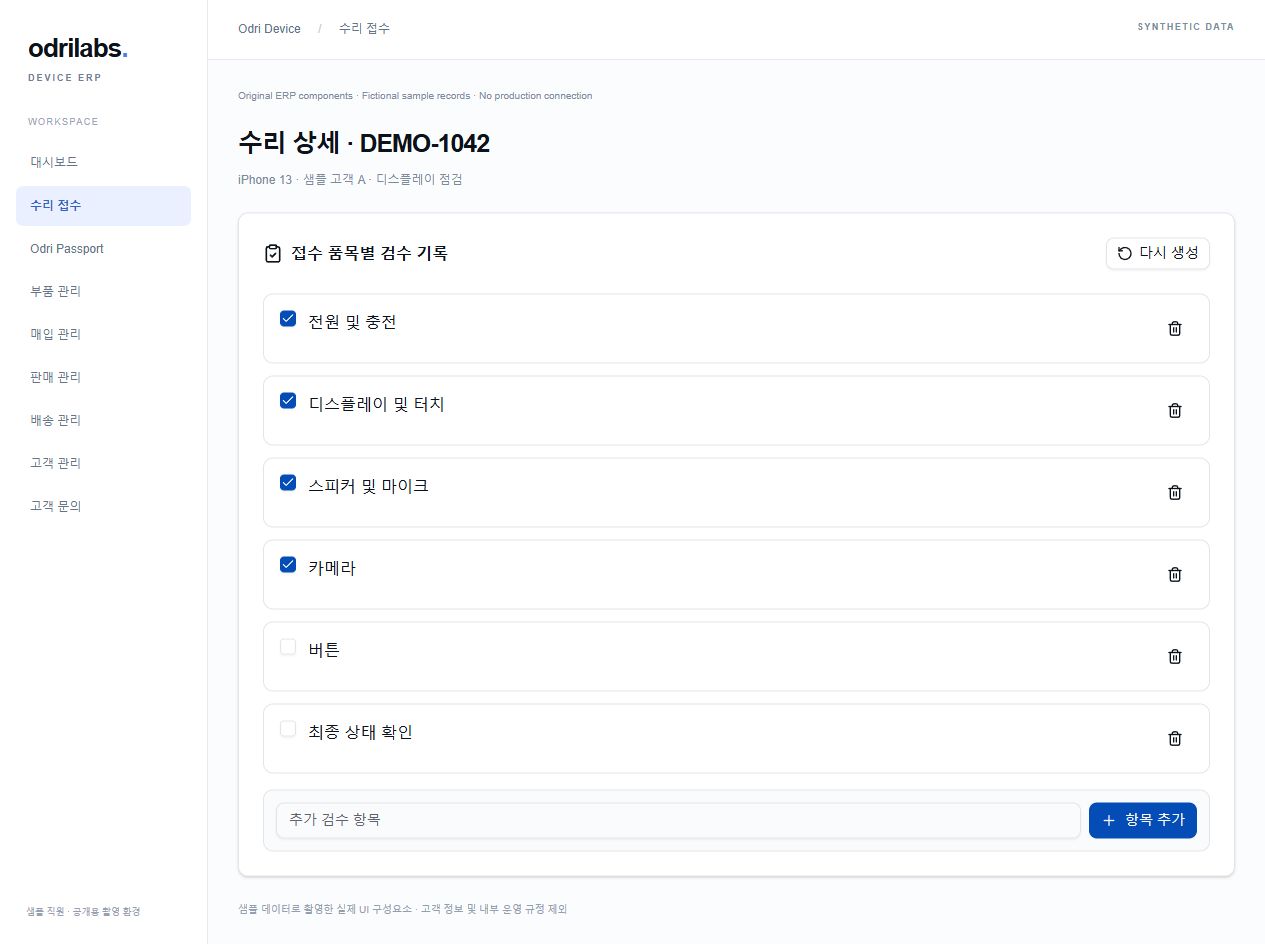
Inspection information sits with the work order instead of being copied into another conversation. The public demo lets you follow a fictional request and its related records.
Explore the sample workspace ↗Fictional data only. A separate read-only preview, not internal operations.
The enquiry becomes a short brief: what is known, what is missing and what a member of staff should check before responding.
This hand-written sample does not call Claude or send a message. It is not a live product feature.
Staff review before any response is sent.
Where Claude fits
We're developing the workflow before treating an AI output as a product feature. A successful pilot needs useful answers, sensible costs and an understandable review process.
Summarize the symptoms and context, while spotting missing details that a person needs to ask about.
Prepare a draft from approved context for staff to review. No automatic sending or repair decision.
AI supports development, test cases and documentation. Product behaviour still needs code review and testing.
Use synthetic enquiries to examine quality, unsupported claims, privacy boundaries and API cost before a customer-facing integration.
See the underlying projects
Explore the original repair-table and inspection components, rendered locally with fictional data and no live customer records. Or look at a static capture of the monitoring workspace.
Let's talk
Questions about the projects, device enquiries or a software collaboration? Email us or say hello on KakaoTalk. Our services are still in development.
Opening a URL without /ko/ or /en/ uses your current IP country every time: Korean in South Korea, English elsewhere or when unknown. Language selections are not saved. Choose a flag to switch this page, or Auto (IP) to use your current IP again. /ko/ and /en/ stay language-specific. VPNs may affect detection.
We use a local country database; your IP is not sent to a lookup provider or stored by this feature.
IP country data: DB-IP Country Lite · October 2026 · CC BY 4.0 · adapted to South Korean ranges.